Event planning is sold on vision and proven on execution, and Instagram is the best place to show both. Clients search for inspiration long before they enquire, and your grid is often what convinces them you can deliver their day.
Here are 25 Instagram post ideas for event planners, grouped by what they do for your business, plus a simple weekly plan, ready-made captions, hashtags and the mistakes to avoid.
You might also like our guide to post ideas for events businesses.
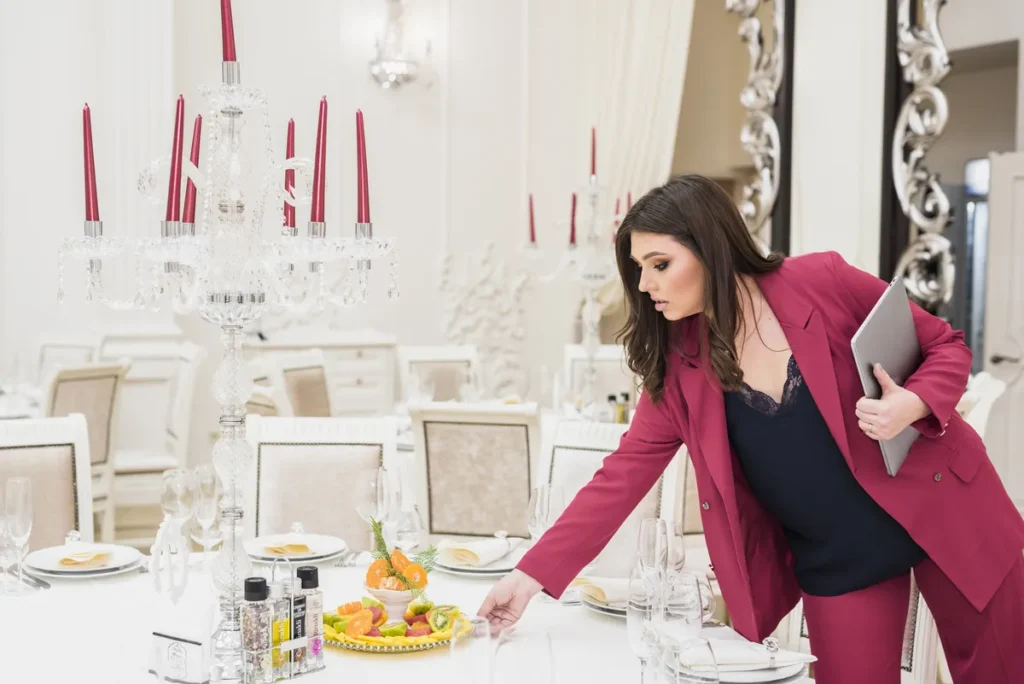
Why should event planners be on Instagram?
The short answer: clients look for event inspiration on Instagram, save ideas there and check planners' grids before they enquire. A strong feed of real events, details and reviews does more to win bookings than any proposal. Three or four posts a week is enough.
Would you rather hand it over? See our Instagram management, from £99+VAT a month.
Your weekly posting plan at a glance
You do not need to post every day. Three or four posts a week, plus Stories on event days, keeps enquiries coming in.
A carousel from a recent event.
Florals, tablescapes or stationery.
Planning, set up or a supplier visit.
Live moments from the day.
A client review or case study.
Ideas and early booking for next season.
Post ideas that show your events
Your best events are your portfolio. Show them properly.
Event carousels
Ten photos telling the story of one event.
Reels highlights
A 30 second round-up of the whole day.
Before and after
An empty venue transformed into your event.
Detail shots
Place settings, signage and finishing touches.
Different event types
Weddings, parties, corporate events and launches.
Venue showcases
Spaces you love working in, tagged.
Post ideas that win enquiries
Turn followers into clients with clear, helpful posts.
Packages
What full planning, partial planning and on the day coordination include.
Starting prices
Typical price ranges so clients can plan.
How it works
Your process from first call to final farewell.
Availability
Dates left this season.
Planning timelines
When to book what, saved again and again.
Seasonal ideas
Christmas parties, summer events and launches. Our 2027 social media calendar helps you plan ahead.
Post ideas that build trust
Clients are handing you an event that matters deeply to them.
Client reviews
Turn kind words into graphics. Here is how to encourage customers to leave a review.
Case studies
The brief, the challenge and the result, with permission.
Meet the planner
You, your experience and your style.
Supplier spotlights
The florists, caterers and DJs you trust, tagged.
Problem solved
How you calmly handled rain, delays or last minute changes.
Awards and features
Industry awards and press coverage.
Highlights
Pinned Stories covering services, reviews and FAQs.
Post ideas that get people talking
These keep you in the feed between events. Here is more on how to generate more engagement.
This or that
Two colour schemes or centrepieces. Which would you choose?
Trends
New ideas in décor, food and entertainment.
Mood boards
The vision for an upcoming event.
Day in the life
What event day really looks like for a planner.
Polls in Stories
Quick questions that get people tapping.
Throwbacks
Favourite events from previous years.
Event planner captions you can use
Swap in your own details and they are ready to go.
Swipe for the full story. ✨
A winter garden party for 120 guests, with candlelit tables, a live jazz trio and a dessert wall that disappeared in 20 minutes.
Planning something special? Send us a message.
When should you book your event planner? 📅
For weddings and large events, 12 to 18 months ahead. For parties and corporate events, three to six months is usually fine.
Save this for later.
6am. Coffee in hand, clipboard ready. ☕
Fourteen hours from now, this empty room will be full of dancing.
Follow our Stories for the transformation.
Hashtags for event planners
Use two or three of these, then add hashtags for your town and the services you want more of.
- #EventPlanner
- #EventPlanning
- #EventDesign
- #EventStyling
- #EventProfs
- #PartyPlanner
- #CorporateEvents
- #WeddingPlanner
- #Tablescape
- #EventsUK
Event planner Instagram FAQs social media dos and don'ts
Do
- Use carousels to tell the story of each event
- Post Reels of your best moments
- Tag venues and suppliers
- Pin your best posts and keep Highlights up to date
- Reply to enquiries quickly. Our community management service can help
- Ask clients for reviews
Don't
- Post private events without the client's permission
- Show guests who did not agree to be photographed
- Use other planners' or suppliers' photos without credit
- Post only finished shots. Process builds trust
- Leave your bio without a clear way to enquire
Event planner Instagram FAQs
Why should event planners be on Instagram?
Clients look for event inspiration on Instagram and check planners' feeds before they enquire. A strong grid of real events and reviews builds confidence before the first call.
What should an event planner post on Instagram?
A mix of event carousels, Reels, detail shots, packages, client reviews and behind-the-scenes content. Aim for posts that show your events, win enquiries, build trust and get people talking.
Should event planners use Reels?
Yes. Short highlight videos and transformations reach new people far more than static posts.
Can event planners post photos of clients' events?
Only with permission. Ask in your contract, credit the photographer and avoid guests who did not agree to be shown.
How often should an event planner post on Instagram?
Three or four posts a week is plenty, plus Stories on event days.